

- Albeit the 2.17 release was just a couple weeks ago, I’ve been quite busy with further improvements – and things looks pretty stable at this point in time.
Therefore – and should I get eaten by a crocodile (or bombed by Trump) anytime soon – an even newer, even better ASIO4ALL – here and now! - This version officially supports Windows 10 and Windows 11.
- Also confirmed to work with Windows 7 and Windows 8, with some minor GUI visual artefacts, though.
- Report bugs to feedback@asio4all.com!
Changes since version 2.17
- No longer crashes after USB audio device surprise removal. The expected behavior is to attempt a reconnect and resume audio streaming. Having your USB audio interface connected to a KVM switch, changing between computers – with ASIO4ALL currently active on both – should result in a graceful handover in either direction.
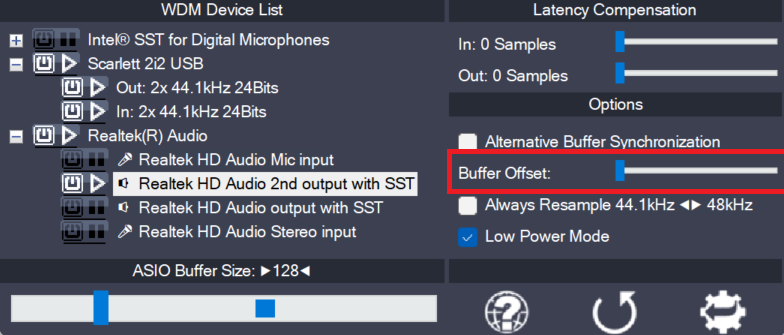
- Some more work went into accurate audio buffer synchronization. The “Buffer Offset” slider is about to become phased out. If your setup absolutely requires a non-default position, I’d be interested to learn about it! (Except when trying to “fix” sample clock drift issues this way…)
- Fix unexpected behavior (including crash) when host tried to set a new sample rate.
- Good old plain Azalia WaveRt devices will no longer have their position register ignored despite a returned accuracy of “0”.
- Further improve input/output latency reporting.
- The “Debug” option has been debugged and will better assist debugging whenever there is something to debug.
- In preparation of the upcoming device audio clock drift correction (yes!), ASIO4ALL can now measure and display the actual sample frequencies of individual devices, either directly or inside the tooltip window when hovering over. This shall help finding out wether individual device clocks are synchronized or not. Since the system clock serves as a reference clock, measurement results always are only relative, never absolute! Accuracy will improve with run time. Give it at least 5-10 minutes for a useful reading!

Leave a Reply to Robertson999 Cancel reply