Version 2.10 Released!

  • Combined 32/64 bit version, supports Win 98SE/ME/2k/XP/MCE/2003/XP64 and Vista/Windows 7 x86/x64

Changes since version 2.10 beta 1:

  • Fix a number of relatively minor application compatibility problems.
  • Remove item redundancies in the GUI WDM device tree. Fix issue that certain configurations (e.g. “Disable all outputs”) would not be saved/restored.
  • Improve audio device surprise removal recovery. Now typically the response to removal/re-insertion of an (USB, …) audio device would be to recover from the event and resume audio streaming.
  • Workaround for full-duplex issue with Realtek HD audio drivers on certain Acer laptops.
  • General, but minor performance improvements under Vista and Win7.
  • Default audio device configuration changed to skip HDMI audio.
Posted

in

,

by

Tags:

Comments

One response to “Version 2.10 Released!”

  1. quiero probar el programa ya q me dieron muchas buenas recomendaciones

Leave a Reply

Your email address will not be published. Required fields are marked *

This site uses Akismet to reduce spam. Learn how your comment data is processed.

Copyright © Michael Tippach

Imprint | Privacy

Powered by WordPress

ASIO is a trademark of Steinberg Media Technologies GmbH.  All other trademarks are the property of their respective owners, used for product identification purposes only.

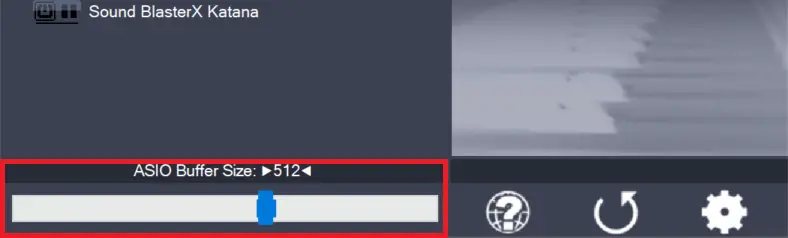
  • ASIO Buffer Size

    ASIO Buffer Size

    Use the slider to adjust the ASIO buffer size for the device currently highlighted. Smaller buffer size means lower latency. Once you hear crackles or audio becomes distorted, you need to increase the buffer size. ASIO buffer size directly relates to audio latency. Thus, you want to get a rather small value here. You may

    more

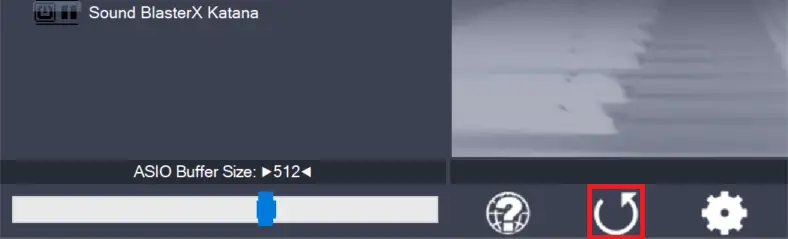
  • Load default settings

    Load default settings

    Pressing this button will reset all configuration options to their initial defaults. Use when audio initially worked and you later got lost in the configuration process. Also, if you updated your ASIO4ALL to a new version, this option will load the settings recommended by the new version.

    more

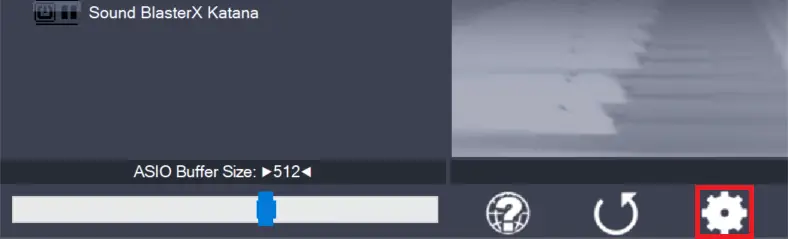
  • Switch to advanced mode

    Switch to advanced mode

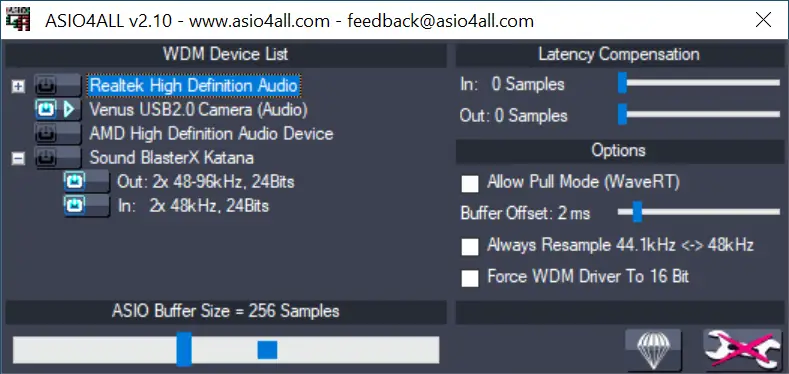
    Switches the control panel into “advanced” mode, where you can fix things or completely mess them up at your discretion. “Advanced” mode is explained in the “Advanced Configuration” section of this document.

    more