
New hosting provider, site re-built from scratch, clutter removed, new layout (resembling the pre-2021 design). Added user comment function.

New hosting provider, site re-built from scratch, clutter removed, new layout (resembling the pre-2021 design). Added user comment function.
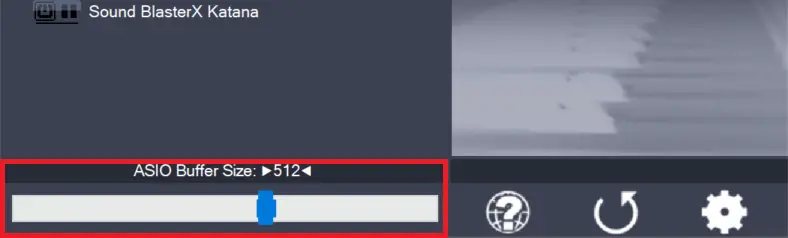
Use the slider to adjust the ASIO buffer size for the device currently highlighted. Smaller buffer size means lower latency. Once you hear crackles or audio becomes distorted, you need to increase the buffer size. ASIO buffer size directly relates to audio latency. Thus, you want to get a rather small value here. You may…
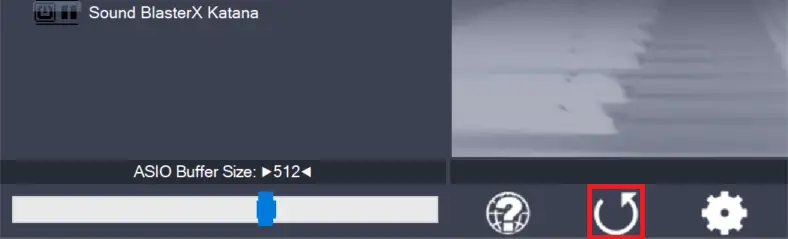
Pressing this button will reset all configuration options to their initial defaults. Use when audio initially worked and you later got lost in the configuration process. Also, if you updated your ASIO4ALL to a new version, this option will load the settings recommended by the new version.
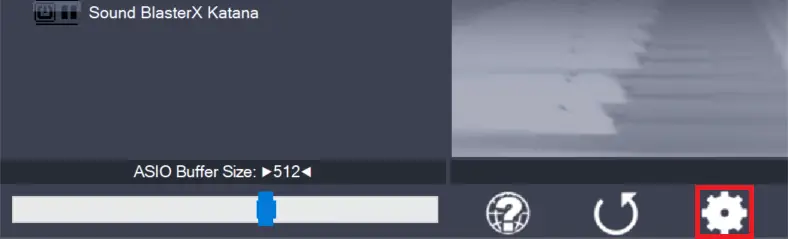
Switches the control panel into “advanced” mode, where you can fix things or completely mess them up at your discretion. “Advanced” mode is explained in the “Advanced Configuration” section of this document.
Comments
56 responses to “Site re-launch”
Пожалуйста сделайте что нибудь версия 2.15 не дает нормально работать с Давинчи резолв 18. Прога просто постоянно крашится, а в статус баре Значек асио4алл с восклицательным знаком.
Thanks for making this program available.
Unfortunately, it does not work on my new Windows 11 PC using Sound Forge version 10.
Sound forge can see the ASIO drivers but does not work with them correctly. I play a song in Sound Forge and it plays through the headphones, I stop and restart playback and it comes out the speakers, if I do it a third time I get en error message saying the driver is not installed. Then I have to reboot the PC to start again.
The version of Sound Forge is from the Windows XP era. So, it’s surprising it runs at all. But, It used to work with an M-Audio supplied ASIO driver, so I thought I would give it a try.
Thanks anyway.
The software download is here: https://asio4all.org/2-15/
For those who only seem to be getting as far as the desktop shortcut to the website, ASIO4ALL will not appear until it is running. Open your DAW and select ASIO4ALL as your output device. A green icon will then appear in the lower right notification area of the taskbar. Click it to adjust settings, including the output you want to use.
If you’re using Reaper and have ‘close device when not in use’ enabled, the icon will disappear when you try to click it (doh!). Just go back to Reaper and hit ‘play’, and then you can access ASIO4ALL’s settings. You don’t need to open a project to do this.
Hope this helps!
Hey all. I would to get help downloading asio4all.
Don’t bother, the owner/developer decided to become a major asshole and design this piece of crap to scare you away from downloading his precious little tool.
gratuito ma con carta di credito????? e cosa è questa novità?
Hello lovely man and world, thank you for asio4all, “You Are” doing what ms should be doing in the 1st place, may your dreams be full of unicorns and shooting stars for all your days and nights. ripley signing off.
Hello lovely man and world, thank you for asio4all, tour doing what ms should be doing in the 1st place, may your dreams be full of unicorns and shooting stars for all your days and nights. ripley signing off.
There are no tutorials up for how to install this now. All I can see everywhere is “Dri8ver Support One” I didn’t need all this stuff last time I had Asio4All working fine with my set up. I simply want it to use Helix Native vst plug in for Reaper DAW but I am having problems just getting it installed which i do not understand because I had it on my computer for Rocksmith before now its just gone and i cant get it back
What’s wrong with navigating “Overview->Download”?
CLICK ON WHAT, YOU DOLT!? THIS WEBSITE IS JUST ADS
What’s wrong with “Hello, please, if you have time, thank you”????
I could bet that the ASIO4ALL guys don’t owe you anything.
Good luck. I appreciate the work you put in but the website is a mess! Covered in spam download links unfortunately so easy to click on the wrong one…
Why am I unable to use outputs 3 and 4 on my Tascam 4X4 interface through ASIO4ALL?
Are you able to use all 4 outputs for normal Windows sounds? If yes, we need to look into that.