ASIO4ALL Official Home

ASIO4ALL Official Home

Universal Windows ASIO Driver

  • Home
  • Overview
    • Version History
    • Download
    • Developer Resources
  • Help
    • FAQFrequently Asked Questions
    • Instruction manual

Finally – Version 2.15 (final!)

  • This version officially supports Windows 10 and Windows 11.
  • Also confirmed to work with Windows 7 and Windows 8, with some minor GUI visual artefacts, though.
  • Report bugs to feedback@asio4all.com!

Changes since version 2.15 (Beta 3):

  • Workaround for Oculus VAD.
  • Fix crash with Blackmagic Design DeckLink driver.
  • Avoid using “Stereo Mix” input in default configuration.
  • Fix erratic behaviour of “Force 16 bit” – option, especially when WDM driver does not support a 16 bit sample data format.
ASIO4ALL 2.15 Downloads ⮱

Posted

February 16, 2022

in

Newsroll, Version History

by

Michael Tippach

Tags:

Comments

57 responses to “Finally – Version 2.15 (final!)”

  1. Michael Brito Avatar
    Michael Brito
    July 12, 2024

    No Asio Driver, only a driver updater??? Hawk tui!!!

    Reply
  2. stressed Avatar
    stressed
    May 2, 2024

    Can anyone help? just downloaded asio4all for Ableton live 12 on my laptop and I’ve managed to get the latency down but the sound is stuck to only my laptop. Will get no sound through my headphones that’s plugged into the audio jack. I also can’t adjust the volume level that manages to come out of the laptop. Is this normal?

    Reply
  3. DJ Do Avatar
    DJ Do
    March 6, 2024

    I can only download ASIO4ALL web site which will open asio4all.org
    Why does this happen and how can I download ASIO?

    Thank you

    Reply
    1. Tribilin Avatar
      Tribilin
      April 10, 2024

      Pudiste solucionar el problema?

      Reply
      1. Saskia Avatar
        Saskia
        May 28, 2024

        Tengo el mismo problema al intentar instalar, alguien sabe ¿dónde puedo arreglar esto?

        Reply
  4. Juan Avatar
    Juan
    November 30, 2023

    Mi tarjeta de audio externa es una (mierda) DGÑOGA. ASIO4ALL en el DAW REAPER no me reconoce el micrófono.

    Reply
  5. M.Gattig Avatar
    M.Gattig
    November 28, 2023

    Asio4All ist voller Überraschungen. Ich habe einen Soundblaster GC7, der laut Hersteller Creative kein ASIO unterstützt. Deshalb bei Creative nachgeschaut und einen Soundblaster G6 bestellt. Damit konnte ich dann das Wavelab 11.2 bequem starten und es läuft. Dann aus Neugier den Asio4All installiert und die GC7 wieder mit angestöpselt. Und siehe da, nach einigen Einstellungen am Puffer funzt nun die GC7 ganz wie gewohnt, obwohl die kein ASIO unterstützt. Weiß da wer eine Antwort zum Thema?

    Reply
  6. JURJ ALIN Avatar
    JURJ ALIN
    November 22, 2023

    i use a NI traktor kontrol S8, it`s a controller with soundcard built in, and i use it with Traktor 3 software…it seems it is using asio drivers but my output sound is crackling and glitching even if i increase the buffer size to the max…i just bought a powerful 2023 laptop from Lenovo Legion, 13-th gen intel i7-13700H CPU…5gb freq..16gb RAM…windows 11….cmoooon, wtf should i do??? nothing works…i need to work with it but cannot, because it has crackling sound….help 🙁

    Reply
    1. a5tr0 Avatar
      a5tr0
      December 10, 2023

      1. install proper “Traktor Kontrol S8” driver from: https://www.native-instruments.com/en/support/downloads/drivers-other-files/
      2. then try update firmware: Device Updater for Traktor Kontrol S8
      3. then in traktor (be sure you have recent version installed): “Traktor Kontrol S8 (ASIO)” driver – no asio4all…
      (my working settings are: 256 samples process buffer + 3 ms usb buffer)
      4. if you are experiencing problems, write on native-instruments support or their forums – they are willing to help.
      * if you wish to use asio capabilities of Kontrol S8 via Asio4All it might work, but it will never surpass NI driver.

      Reply
    2. joeyshah Avatar
      joeyshah
      January 2, 2024

      Did you get a fix around for this. I seem to be facing the same problem

      Reply
  7. Carlos Lopez Avatar
    Carlos Lopez
    November 7, 2023

    Cada vez que hacen una “mejora” , lo entreveran y malogran mas

    Reply
  8. rock Avatar
    rock
    October 28, 2023

    why7 is mine downloading a website shortcut?

    Reply
    1. cave Avatar
      cave
      June 1, 2024

      same here lol

      Reply
      1. G doggy dog Avatar
        G doggy dog
        July 17, 2024

        any fix for this? same issue!

        Reply
  9. Adrian Wiik Avatar
    Adrian Wiik
    October 16, 2023

    When trying to update ASIO4ALL to version 2.15 using winget, I get the following output:

    PS C:\Path\To\user> winget update MichaelTippach.ASIO4ALL
    Found ASIO4ALL [MichaelTippach.ASIO4ALL] Version 2.15
    This application is licensed to you by its owner.
    Microsoft is not responsible for, nor does it grant any licenses to, third-party packages.
    Downloading https://www.asio4all.org/downloads_11/ASIO4ALL_2_15_English.exe
    299 KB
    Installer hash does not match.

    Please check if your installer in the winget repository has been compromised, or recalculate and fix your installer hash.

    Reply
    1. admin Avatar
      admin
      October 17, 2023

      If you follow the original link, it ends up in an redirect – that’s why.
      Looks like winget uses Deep Linking. Which is highly controversial, mildly put.

      https://en.wikipedia.org/wiki/Deep_linking

      Reply
  10. Jose Avatar
    Jose
    October 8, 2023

    Does not support 48K in Pro Tools

    Reply
  11. merl Avatar
    merl
    September 24, 2023

    [Windows 10 + Ableton Live 11 Lite + latest ASIO4ALL_2_15_English.exe, sound via standard line out on Dell laptop]
    2-3 months ago the Windows volume settings on the headphones channel made no effect. The volume only control was in Ableton. Sound quality was OK. Recently, I hear noise and quality is much worse. I also realized that Windows standard volume control makes different. Reinstalling the Asio driver does not help. Have I accidently turned a different mode on driver or on Windows? Or there was some change in standard Windows patches last months that changed that behavior?
    Any hints appreciated.

    Reply
  12. Islam Elgarem Avatar
    Islam Elgarem
    September 5, 2023

    I use asio4all with pro tools, and since then, every single time I open Pro tools I can’t get a sound with anything else (the browser, Spotify, internal media player, etc.) What shall I do?

    Reply
  13. vikentij Avatar
    vikentij
    August 29, 2023

    уж больно всё у вас замудрённо.

    Reply
    1. Zoran Barbaric Avatar
      Zoran Barbaric
      November 22, 2023

      slazem se 100%

      Reply
  14. stefano Avatar
    stefano
    August 28, 2023

    Ciao, usando ASIO4ALL 2.15 in Windows 11 in un PC HP recente, quando apro REAPER come DAW succede che l’audio non commuta dagli speacker alle cuffie quando le inserisco.
    Questo succede SOLO con Reaper che sta usando ASIO4ALL, mentre in tutte le altre applicazioni il problema non sussiste…
    Avete un’idea di come risolvere la cosa ? Grazie.

    Reply
  15. Lebogang Radebe Avatar
    Lebogang Radebe
    August 23, 2023

    Hi there I downloaded asio 2.15 and I see theres no offline version. Not only that I also see that everytime I pick the asio4all driver in pro tools, it crashes the pro tools session and not only pro tools but also my other daws like ableton and native instrument maschine.

    Reply
    1. Joseph Narai Avatar
      Joseph Narai
      November 17, 2023

      I have the same issue.

      Reply
    2. Aleks Avatar
      Aleks
      March 2, 2024

      Download 2.14 with offline settings, then move 2.15’s files into the same pathway. Note: You cant use 2.15’s setup into the same pathway. You have to copy and paste them.

      Reply
  16. ADRIANO PADILHA Avatar
    ADRIANO PADILHA
    August 21, 2023

    why this version have no offline settings? I NEED OFFLINE SETTINGS.

    Reply
  17. parisiene walkaways Avatar
    parisiene walkaways
    August 11, 2023

    ASIO4ALL has always been an outstanding piece of software – but the new website layout and site functionality is a total opposite.

    Reply
  18. Pat Avatar
    Pat
    August 6, 2023

    Works like a charm on my laptop. 12 ms latency with realtek HD audio.
    You made a wonderful job Michael, and moreover it’s free.
    I just can not understand negative commentaries. The driver will not work on a crappy computer peridd.

    Reply
  19. pavendax Avatar
    pavendax
    July 29, 2023

    I updated my asio4all driver but it perform worse than the previous version that came preinstalled with my FL Studio 20.0.3
    Sometime it crackles even my cpu load is low and the ammount of underruns is 0. Delays is the most common problem I experienced after updating to this version, it happens when I just turn off an FX that require lookahead. When I turn off that FX it doesnt come back to 5ms delay, it still delayed like the FX is still using the lookahead thing.
    If it possible. I want to come back to the previous version that works fine, which is the one that comes with the early FL Studio 20 at 2018, but I can’t find the version it was.

    Reply
    1. Markey Avatar
      Markey
      September 4, 2023

      Right? Same here 😮
      They need to fix this! :c

      Reply
  20. EP Avatar
    EP
    July 29, 2023

    I used the ASIO4ALL_2_15_English.exe meant for Windows 10 x64.
    .
    I was running it on a Lenovo M93p Tiny PC with i5, and running the latest Realtek drivers v6.0.1.8186 (2.82) for ALC283 Windows 10 64bit.
    .
    Also have Direct X v11 installed.
    .
    I was also using Renoise 3.2.1 x64 music DAW.
    .
    When it was enabled in Renoise, it slowed down everything to a crawl.
    .
    I reverted to using the WDM driver instead for now.

    Reply
  21. John Avatar
    John
    July 27, 2023

    asio driver work properly but not working other audios (ex) youtube, VLC,

    Reply
  22. kara Avatar
    kara
    July 21, 2023

    I use window11, my asio4all in pro tools or audition, either of it have sound, also in pro tools, it doesnt support 48kHz

    Reply
  23. Mikey Avatar
    Mikey
    July 7, 2023

    Hey team,

    I’m downloading this driver as it is recommended by Vochlea to use their Dubler 2 mic and software. I am running the latest version of Windows 11 Pro. Previous download caused brand new laptop to restart without command several times and needing to be reset. Trying to avoid the same issue happening again. Is this the right call? Cheers guys.

    Reply
    1. Michael Tippach Avatar
      Michael Tippach
      July 7, 2023

      Since ASIO4ALL does not come with Kernel Mode components, it cannot be the root cause of that kind of system crash.
      Troubleshooting BSOD errors 🔗

      Reply
  24. Dimitris Avatar
    Dimitris
    June 29, 2023

    I have a Presonus Studio 24c as input for my guitar and Realtek S1220A onboard sound card as my output.

    My problem is that everything works FINE until 20-30 minutes that the sound starts to lag/delay. (NO cracklings noises etc… just lag/delay)

    Tried Buffers from 64-1024 but nothing. Also tried to play with Latency Compensation and Buffer Offsets on both input/output devices……No luck.

    On my input I have Hardware Buffer ON because without this after 20 minutes the sound starts to cracking.

    My input and output has the same : 48KHz / 24bits

    My system has an i7-12700K and 32GB DDR5 RAM.

    Is there anything I can do?

    Reply
  25. Timi Nero Avatar
    Timi Nero
    June 29, 2023

    I get an error message saying “error opening file for writing” whenever I try to install the driver. What do I do

    Reply
    1. Michael Tippach Avatar
      Michael Tippach
      June 29, 2023

      Close any application currently using ASIO4ALL. The installer cannot overwrite files while ASIO4ALL is still running.

      Reply
    2. Colin Avatar
      Colin
      October 29, 2023

      Very annoying website. Adverts at bottom take up 25% of the screen. Other adverts appearing all over the screen.
      Hard to navigate and differentiate between proper content and adverts.

      Reply
  26. Gavin Sickler Avatar
    Gavin Sickler
    June 28, 2023

    Hello, I have a Wrugste and it’s not registering at all. The manual instructed me to come to this website and install the drivers here. But when I install it doesn’t give me any options just installs and gives me a link to this website, I’ve seen videos but I don’t get shown any boxes to check off no matter how many times I try to re install

    Reply
  27. Amir M Moon Avatar
    Amir M Moon
    June 27, 2023

    How do I send in my crash report

    Reply
    1. Michael Tippach Avatar
      Michael Tippach
      July 7, 2023

      Enable user mode dumps, reproduce the crash event – and then send in the (mini)dump file, along with some prose.
      Collecting User-Mode Dumps 🔗

      Reply
  28. Sancho Avatar
    Sancho
    June 23, 2023

    ASIO4ALL makes my DAW (Ableton Live) crash every single time I try to activate it as a driver. Do not recommend.

    Reply
    1. Michael Tippach Avatar
      Michael Tippach
      June 23, 2023

      Send in the crash dump and we shall look into it.

      Reply
    2. Amir M Moon Avatar
      Amir M Moon
      June 27, 2023

      I am having the same issue

      Reply
  29. никита Avatar
    никита
    June 19, 2023

    после загрузки появляется просто ссылка на сайт, что делать?

    Reply
    1. Michael Tippach Avatar
      Michael Tippach
      July 7, 2023

      “Что делать?” В отличие от Ленина, нам не нужно писать целую книгу, чтобы ответить на этот вопрос.
      Руководство по эксплуатации!

      Reply
      1. joefenske Avatar
        joefenske
        July 21, 2023

        wtf?

        Reply
  30. Andrew Liu Avatar
    Andrew Liu
    June 7, 2023

    After I download it, I click on the icon it just leads me to this web site. I need help. Thank you

    Reply
    1. sjd Avatar
      sjd
      June 12, 2023

      Same problem here. Nothing in the file folder either, except a shortcut linking to this site and a couple of Dlls with no readme or instructions.

      Reply
      1. Michael Tippach Avatar
        Michael Tippach
        June 12, 2023

        Same problem = same solution.
        Navigating this site’s “Help” menu will bring you here: https://asio4all.org/help/

        Reply
    2. Vuyolwethu Maseti Avatar
      Vuyolwethu Maseti
      July 13, 2023

      I have been trying to use it on Sibelius software, It is not working. It does appear but there is no sound at all. I also need help on this one.

      Reply
      1. Frank Zimmerman Avatar
        Frank Zimmerman
        December 30, 2023

        I’ve got it working, but only on 32-bit Sibelius 7 (in Windows 11). 64-bit is silent. Not sure why, yet.

        Reply
  31. Raffaele Avatar
    Raffaele
    June 7, 2023

    I don’t know about others, but I found the offline configuration utility useful which has disappeared as an option in this version. Anyway thanks for these drivers!

    Reply
    1. Adrian Gadziomski Avatar
      Adrian Gadziomski
      February 18, 2024

      You can obtain the offline version of ASIO 2.15. First, you need to install the older version, ASIO 2.14. Then, extract the newer version, 2.15 – final. Add ‘asio4all.dll’ and ‘asio4all64.dll’ from the extracted ASIO 2.15 to the installed folder of 2.14, and run ‘A4ARegFix.exe’.

      Reply
  32. Paltalk Avatar
    Paltalk
    June 1, 2023

    ( I found the cause of the popping sound )

    Hi, I represent everyone who uses asio4all, giving feedback on the popping sound and tips on how to fix it.
    Before I get into the problem, I would like to tell you about the computer configuration I use, which is very powerful, but still has a state of popping sound when singing live in the paltalk chat program. Laptop MSI GE62 6QF PRO. i7, Ram 16G.

    I use cubase software in combination with asio4all to sing live on paltalk chat software.but have a popping sound..
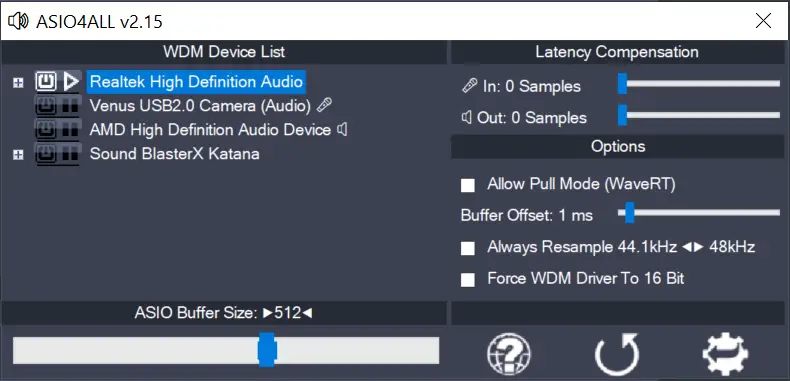
    how to fix, i open asio4all, and drag the buffer Size to 768, then I close the asio4all window. and play music, the phenomenon of popping sound is still there. then I open the asio4all window and drag the Buffer Size to 640 and close the window. I no longer have the popping sound problem>
    you try to find the error to fix it, and release the latest update. thanks you

    Reply
  33. ivan robles Avatar
    ivan robles
    May 31, 2023

    what a crap website with adds. makes me not want to try. it used to be easier to download. it sucks now

    Reply

Leave a Reply Cancel reply

Your email address will not be published. Required fields are marked *

This site uses Akismet to reduce spam. Learn how your comment data is processed.

Copyright © Michael Tippach

Imprint | Privacy

Powered by WordPress

ASIO is a trademark of Steinberg Media Technologies GmbH.  All other trademarks are the property of their respective owners, used for product identification purposes only.

  • Introduction

    Introduction

    Welcome to ASIO4ALL! This manual enables you to make the most of your ASIO4ALL installation, especially when it comes to the advanced features newly introduced in this Version of ASIO4ALL. In order to achieve the best possible results with ASIO4ALL it is recommended that your computer is configured accordingly. For updates, help and further information,

    more

  • Getting Started

    Getting Started

    Setting up your audio software In order to make use of ASIO4ALL, you need to configure your audio software accordingly. How you would do this depends on your particular software application. Generally, you would always enter the audio configuration menu and select ASIO -> ASIO4ALL v2. There now should be a button to launch the

    more

  • WDM Device List

    WDM Device List

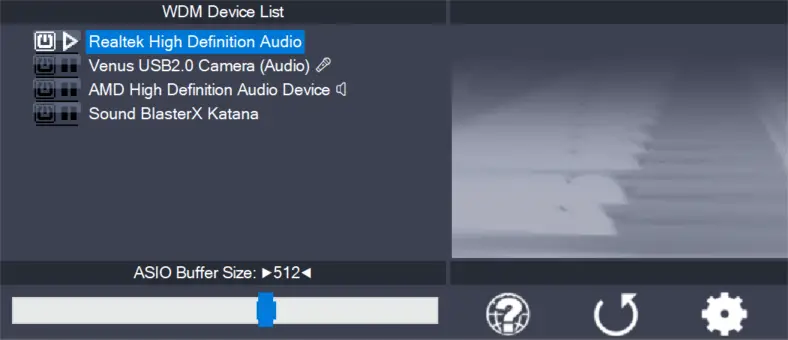
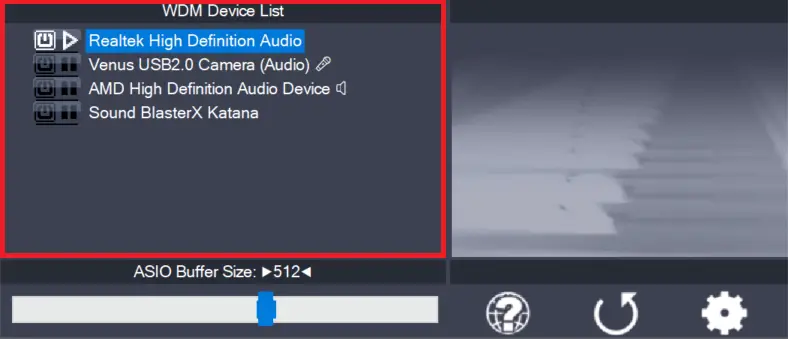
    This is the list of audio devices found in your system. Highlight the device that you want to make changes to. Note: All parameter changes always only apply to the device currently highlighted! Activate the device you want to use by clicking on the button next to the device name! In the picture above, the

    more

1 2 3 … 7
Next Page