Version 2008 (Beta 5) Out Now!

(Plus, the final 2.9 release date has been scheduled for the 5th of November)

Changes since version 2.9 beta 4:

  • Add one more instance of a workaround for the Conexant HD Audio input issue.
  • Restore compatibility with Win98 SE and WinME that was broken because MS at some point decided to remove it from their tool chain.
  • Fix regression: WaveRT devices not detected if Compatibility Mode enabled for the host application.
  • Fix WaveRT event mode input.
  • Fix: x64 version in theory could have crashed on ASIOStop().
  • ix another theoretical bug in the x64 audio startup code.
  • Fix issue where the x64 version actually crashed if an input device had exactly four channels.
  • Also allow right mouse button on tray icon to open the GUI.
  • Add pathetic attempt to improve WaveRT in/out synchronization.
  • Fix several issues with in app integration API added earlier. Notably did it not work at all in 64 bit mode before.

Posted

in

,

by

Tags:

Comments

Leave a Reply

Your email address will not be published. Required fields are marked *

This site uses Akismet to reduce spam. Learn how your comment data is processed.

Copyright © Michael Tippach

Imprint | Privacy

Powered by WordPress

ASIO is a trademark of Steinberg Media Technologies GmbH.  All other trademarks are the property of their respective owners, used for product identification purposes only.

  • Advanced configuration

    Advanced configuration

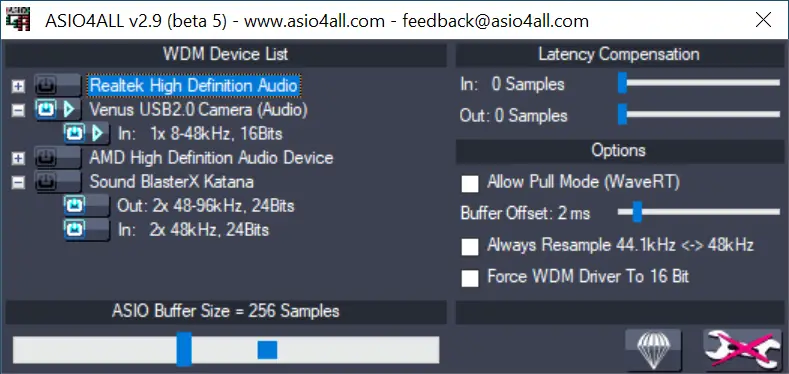
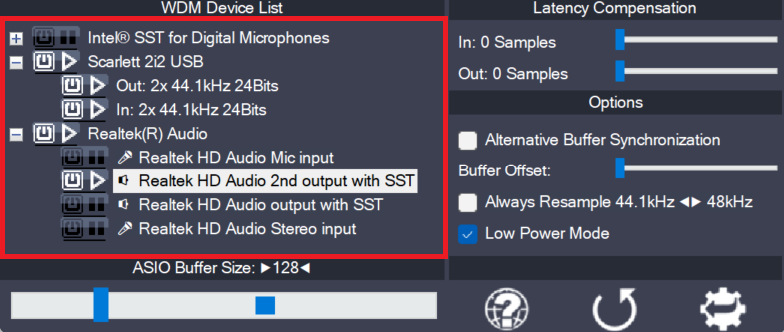
    Once the control panel has been switched to advanced mode, things begin to look a little more complicated. The device list is now expandable and you can enable more than one item at a time. The device list contains Devices, Device Interfaces and so called “Pins”. Devices are independent hardware units most of the time.

    more

  • Device aggregation

    Device aggregation

    Using the button next to each entry, you can now selectively enable/disable each particular item in the device list. This way, you can also create multi-device-setups (“aggregate devices”). Multi-device-setups require that all the devices involved are running from the same clock source. You can achieve this by daisy-chaining devices via S/PDIF etc. On-board devices usually

    more

  • Latency Compensation

    Latency Compensation

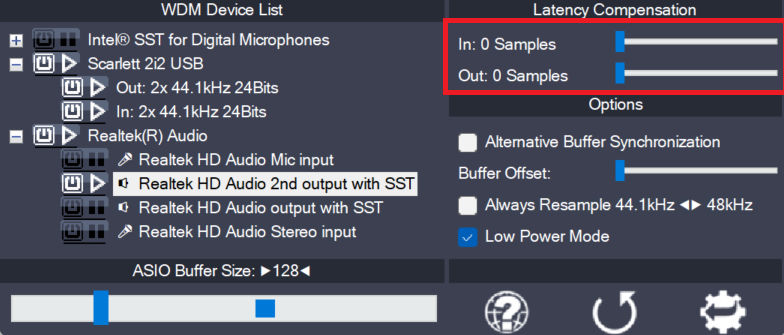
    Since ASIO4ALL does not have sufficient knowledge of the underlying hardware/driver architecture, it can only guess the actual latencies involved. With these sliders you can compensate for the latencies unknown to ASIO4ALL such that recordings in your sequencer Software are properly aligned with the rest. Note: In multi-device-setups the largest respective value of all devices

    more