Clarification regarding ASIO4ALL Authorship

The recent sad news is that Carlos Mateo (“Texvo”) died on August 4, 2008. For his outstanding contribution to the music community, he will be missed by many.  The news came along with a note that suggested his involvement in the conception and/or development of ASIO4ALL. Consequently, people have started sending condolences.

This puts me in the difficult situation of having to clarify that Carlos was at no point in time involved in either the conception or the development of ASIO4ALL. What is true, however, is the great amount of time and dedication he spent helping other people with their audio hardware and software issues – including issues surrounding ASIO4ALL, at times. He surely will be missed!  

Posted

in

by

Tags:

Comments

Leave a Reply

Your email address will not be published. Required fields are marked *

This site uses Akismet to reduce spam. Learn how your comment data is processed.

Copyright © Michael Tippach

Imprint | Privacy

Powered by WordPress

ASIO is a trademark of Steinberg Media Technologies GmbH.  All other trademarks are the property of their respective owners, used for product identification purposes only.

  • Introduction

    Introduction

    Welcome to ASIO4ALL! This manual enables you to make the most of your ASIO4ALL installation, especially when it comes to the advanced features newly introduced in this Version of ASIO4ALL. In order to achieve the best possible results with ASIO4ALL it is recommended that your computer is configured accordingly. For updates, help and further information,

    more

  • Getting Started

    Getting Started

    Setting up your audio software In order to make use of ASIO4ALL, you need to configure your audio software accordingly. How you would do this depends on your particular software application. Generally, you would always enter the audio configuration menu and select ASIO -> ASIO4ALL v2. There now should be a button to launch the

    more

  • WDM Device List

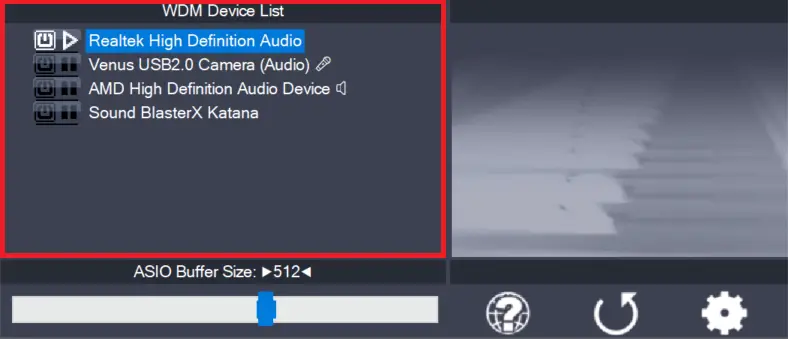
    WDM Device List

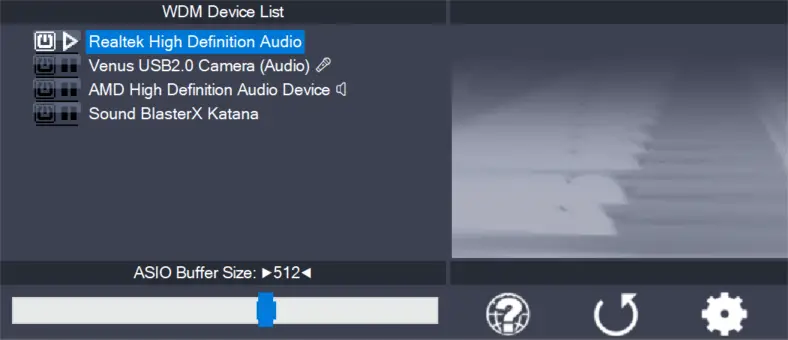
    This is the list of audio devices found in your system. Highlight the device that you want to make changes to. Note: All parameter changes always only apply to the device currently highlighted! Activate the device you want to use by clicking on the button next to the device name! In the picture above, the

    more