
-
Version:
2.18

Release date:
Minimum OS required:
Windows 10
-

Advanced configuration
Once the control panel has been switched to advanced mode, things begin to look a little more complicated. The device list is now expandable and you can enable more than one item at a time. The device list contains Devices, Device Interfaces and so called “Pins”. Devices are independent hardware units most of the time.…
-
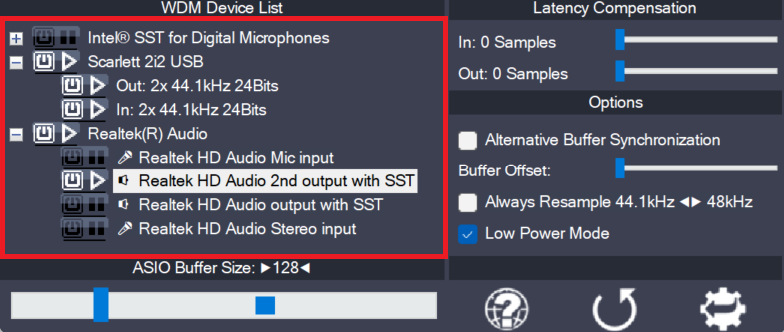
Device aggregation
Using the button next to each entry, you can now selectively enable/disable each particular item in the device list. This way, you can also create multi-device-setups (“aggregate devices”). Multi-device-setups require that all the devices involved are running from the same clock source. You can achieve this by daisy-chaining devices via S/PDIF etc. On-board devices usually…
-
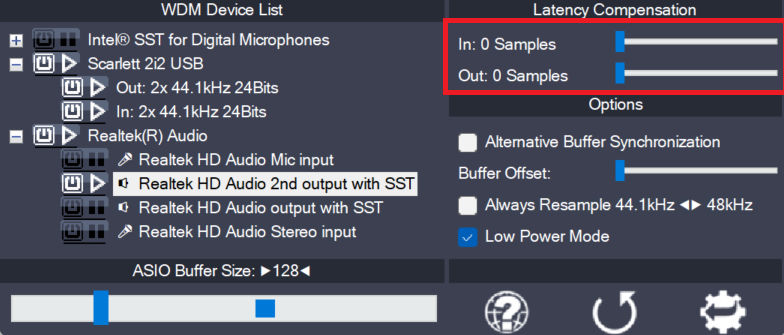
Latency Compensation
Since ASIO4ALL does not have sufficient knowledge of the underlying hardware/driver architecture, it can only guess the actual latencies involved. With these sliders you can compensate for the latencies unknown to ASIO4ALL such that recordings in your sequencer Software are properly aligned with the rest. Note: In multi-device-setups the largest respective value of all devices…