Version 2.20

  • This version officially supports Windows 10 and Windows 11.
  • Also confirmed to work with Windows 7 and Windows 8, with some minor GUI visual artefacts, though.
  • Report bugs to feedback@asio4all.com!

Changes since version 2.19

  • Workaround for Realtek driver issue on AMD systems with HAP. Should work now in the default configuration with 512 samples ASIO buffer size.
  • Fix minor output buffer sync issue in 32 bit version only.
  • Fix WaveRT packet mode output latency calculation.
  • Can now again override ASIO buffer size in Studio One. Which is pretty much useless and confusing. But – when it comes to options – more is always better, right?
  • New feature added: Right mouse button on the ASIO4ALL system tray icon now pauses audio inside the DAW, releases the audio hardware and CPU resources used for audio processing.
    While this does not make ASIO4ALL multi-client, it somewhat simplifies switching back and forth – not only between your DAW and “other” Windows audio.
    It also allows you to have several DAWs open at the same time – and switching between them on the fly:

Posted

in

,

by

Tags:

Comments

One response to “Version 2.20”

  1. Michael,
    Your dedication is so appreciated for such a useful wrapper – ty xx

Leave a Reply to Darchy Cancel reply

Your email address will not be published. Required fields are marked *

This site uses Akismet to reduce spam. Learn how your comment data is processed.

Copyright © Michael Tippach

Imprint | Privacy

Powered by WordPress

ASIO is a trademark of Steinberg Media Technologies GmbH.  All other trademarks are the property of their respective owners, used for product identification purposes only.

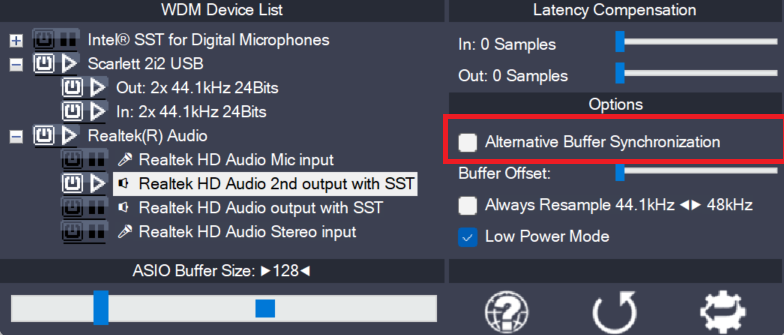
  • Alternative Buffer Synchronization

    Alternative Buffer Synchronization

    The WaveRt driver ecosystem has evolved beyond the fomer distinction between just “Pull Mode” and “Polling”. It has become a little more complex. ASIO4ALL always aims to use the buffering algorithm most suitable for any particular device. This option lets you override the automed pick and select an alternative buffering scheme, where available. Use this

    more

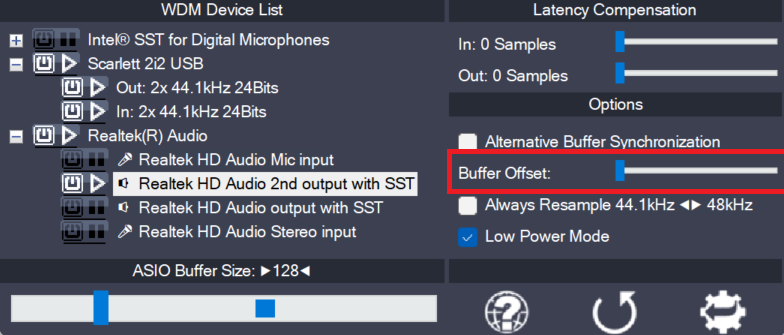
  • Buffer Offset

    Buffer Offset

    This slider affects the circular buffer read/write cursor position of the current WaveRt pin. The adjustable range equals the size of the entire circular buffer. The offset is relative to the cursor position as calculated by ASIO4ALL. In the unlikely event that some manual adjustment is required, you can try to find a better cursor

    more

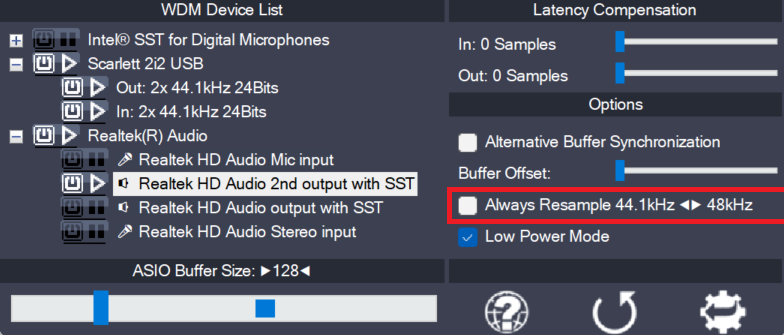
  • Always Resample 44.1<->48 kHz

    Always Resample 44.1<->48 kHz

    ASIO4ALL can do real time resampling of 44.1 kHz audio to/from 48 kHz. Resampling will automatically take place whenever ASIO4ALL is opened for 44.1 kHz and the WDM driver does not support this sample rate. There may, however, be instances in which case an audio device will support 44.1 kHz only by resampling internally. More

    more