

- This version officially supports Windows 10 and Windows 11.
- Also confirmed to work with Windows 7 and Windows 8, with some minor GUI visual artefacts, though.
- Report bugs to feedback@asio4all.com!
Known issues
- Early downloads had a problem which could cause some configurations to crash. Version number in the control panel title bar should be “2.20.1” and the installer “ASIO4ALL_2_20_1.exe”. When different, simply re-download and re-install!
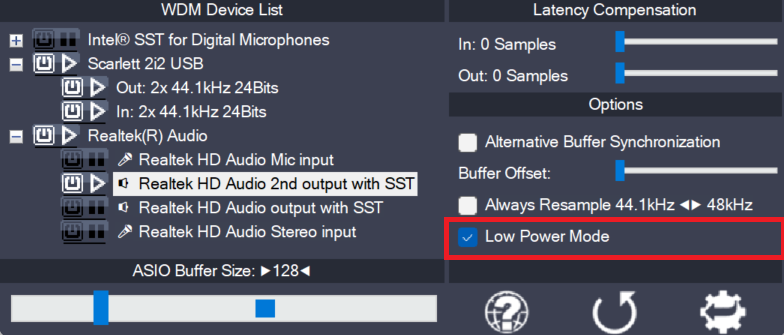
- Generally also works quite well on Windows 11 for ARM64, albeit there is no native ARM version yet. The “Qualcomm Aqstic” integrated mic will not work with the defaults, though. Select “Alternative Buffer Synchronization” in the ASIO control panel advanced settings!
Changes since version 2.19
- Workaround for Realtek driver issue on AMD systems with HAP. Should work now in the default configuration with 512 samples ASIO buffer size.
- Fix minor output buffer sync issue in 32 bit version only.
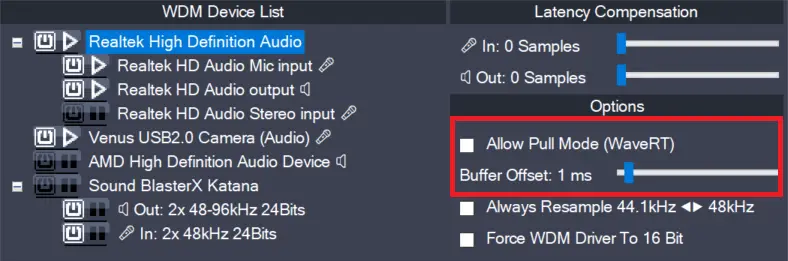
- Fix WaveRT packet mode output latency calculation.
- Can now again override ASIO buffer size in Studio One. Which is pretty much useless and confusing. But – when it comes to options – more is always better, right?
- New feature added: Right mouse button on the ASIO4ALL system tray icon now pauses audio inside the DAW, releases the audio hardware and CPU resources used for audio processing.
While this does not make ASIO4ALL multi-client, it somewhat simplifies switching back and forth – not only between your DAW and “other” Windows audio.
It also allows you to have several DAWs open at the same time – and switching between them on the fly:
Comments
16 responses to “Version 2.20”
Winget shows “2.20.1” as available, but once installed it appears as “2.20_1” with 2.20.1 marked as pending update again, over and over. This is reported in https://github.com/microsoft/winget-pkgs/issues/381899
Whenever I try to install ASIO4all, a screen appears asking me to fill in my credit card details, and it doesn’t go away, nor does it allow me to open other windows. What should I do?
Download the installer only from the official location (here) and make sure you do not click on an ad instead. Ads are clearly marked as being … ads.
I have 2.15 installed at the moment. Do I have to manually uninstall it first, or should I just install over it?
Depends.
Uninstalling first is giving you a “fresh start”.
On the other hand, simply installing over a previous version should generally work, too (- back and forth, even!)
Pressing “load defaults” after an update being the 3rd option.
Since it’s always only a matter seconds to (un)install, going for a clean start naturally will be the most predicatable way.
“Fresh start” it is then… Much appreciation and gratitude!
This download page is so polluted with ads I cant find the download!!!!!!!!!!!!!
Add to that the AI generated images on the front page, and you’re definitely better off vibe coding your own, instead!
Is there a website that looks more suspicious than this? Good grief. This is not a reputable site. You can’t expect me to download something with 10+ download ads floating around. Clean this up! This is disgusting.
Found your way around towards posting a comment, though…
Therefore cannot be *that* bad, can it?
Hi, just changed from version 2.19 to 2.2. adobe Premiere will not run and Adobe Audition locks up.
restore 2.19 and all is fine.
After installing version 2.20, Cubase 5 closes itself.
Have you tried (re-)installing with the “Debug” – option enabled?
Man, it’s time to move on. Cubase 5.5.3 dropped back on March 29, 2011, that’s ancient history. Reaper 7.71 (April 30, 2026) runs in both 32-bit and 64-bit and supports every version of Windows from XP to 11. On top of that, it’s got a fully functional trial with no limitations, an affordable price, and years of support baked into every license.
Try this: https://asio4all.org/downloads/ASIO4ALL_2_20_1.exe.
There seems to be an issue with 32 bit apps. What computer/audio hardware and OS?
Michael,
Your dedication is so appreciated for such a useful wrapper – ty xx