
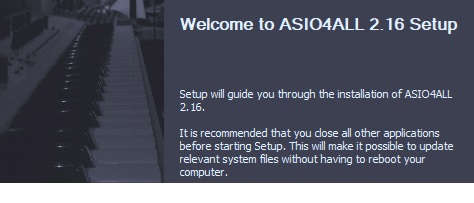
- This version officially supports Windows 10 and Windows 11.
- Also confirmed to work with Windows 7 and Windows 8, with some minor GUI visual artefacts, though.
- Report bugs to feedback@asio4all.com!
Changes since version 2.15:
- “Off-Line Settings” brought back, due to popular demand.
- Now only one single installer, combining all languages supported.
- Fixed regression that would sometimes constrain bit depth to 16 bits only.
- Workaround for Intel SST USB wrapper.
- Workaround for on-board audio on Gemini Lake Refresh (and possibly others as well).
- Fixed: Sample rate would appear “stuck” at low setting (e.g. 8kHz) after switching back and forth between audio devices inside the ASIO4ALL GUI.
- .
Comments
41 responses to “Version 2.16 released!”
no funciona bien con la interfaz de audio GSM Pro Line GMA-24
Muchísimas gracias por haber creado un drivers tan versátil, soy usuario de asio4all desde el 2014, actualmente estoy usándolo para presentaciones en vivo y me preguntó si es posible que aumenten la tasa de muestreo si quiera a 192khz para bajar la latencia, ya que estudiando y probando noté que una tasa de muestreo alta ayuda a disminuir la latencia, eso lo probé en flstudio ya que el driver de flstudio permite usar tasa de muestreo de 192khz y baja la latencia notoriamente, el punto es que uso un dac mi interfaz llega hasta 192khz Pero los únicos drivers que funcionan bien en modo standalone del emulador de guitarra (que es el modo que uso para tocar en vivo porque por DAW no me permite cambiar de presets rápidamente) son el asio4all, por eso mi pregunta si es posible que habiliten la opción de una tasa de muestreo más alta y manipulable
Thank you so much from Taviq Mastering for making decades of making music glitchless and 10x easier!!!!!!
Sincerely,
H. Thomas – Taviq Mastering
http://www.taviqmastering.com
Thank you Michael! Great work. It works perfectly fine for my stuff (binaural audio) / Hesuvi / ASH Toolset! Vielen Dank.
hello, when i finish downloading the app and after i click it it says that the application not found, what should i do?
Descárgalo desde otro navegador, aveces el visiowiever de Edge bloquea las descargas automáticamente, la otra opción es que desactives los antivirus mientras lo descargas e instalas, incluyendo las opciones de protección en la nube y protección en tiempo real, ten en cuenta que algunas actualizaciones de Windows solo permiten instalaciones y descargas solo desde la Microsoft store y esa opción también debes desactivarla para que el antivirus no bloquee la descarga, esa opción está en la sección de configuración-aplicaiones-instalar desde(no recuerdo bien como dice Pero está arriba del listado de software instalados)
Hi,
For some reason, ASIO4ALL stopped outputting sound on my Windows 11 machine while I was using my DAW – Ableton Live. I can’t seem to solve the problem. Oddly, if I switch to FlexASIO, I get sound , but along with a higher latency. I’ve tried uninstalling and reinstalling ASIO4ALL. Thanks so much !
I’m having the same problem with Ableton Live, and I would like an answer as well.
Don’t forget to read page 2 of the manual here. Go into advance settings and make sure you have selected the one IN and OUT you need. Sometime “Release Audio Driver In Background” is checked and scares some people. Also I always right click my windows volume control at the taskbar and choose set my main pc volume settings to match, incase you have any usb audio interface. I also was baffled by the inner working of Asio4All for a few months but think I get it now 🙂
Hola. tengo una interfaz apogee im32 y conecto micrófono y con el programa adobe audition 3.0 puedo escucharlo. Pero concecto un teclado y NADA. Cómo configuro para que se escuche?
Muchas gracias
I cannot select or deselect devices or inputs, one or 2 will click but none after will let me select. I moved from 2.15 which did not operate this way. I am going back, this version does not seem to work, at least it is not functioning for me like 2.15.
I just download what I thought was v 2.16 of ASIO4ALL but when I installed it Webroot, my anti-virus software, indicated that this software had installed malware on my computer – PCAppStore.exe which included the W32.Adware.Gen infection.
Why on earth would asio4all.org employ a company that would install malware on my computer?
Shame on you!
Chances are you clicked on an ad.
Ads are clealy marked as being…uhm…ads.
TBF, the asios site itself goes to this “ad” after you click the link for the new version and its a giant albeit plain color graphic that mimics that it is a “download here” for the windows 10, 11 version page, its uncluttered and if you are clicking through, it just looks like where you should click next, the ad text in the top left corner is fairly out of the way and miniscule given its layout. I got caught by it momentarily as well, but figured out how to back out of its incessant install process. It looks like its the ad consistently right now too, so i guess know its serving it up on the regular rn to every visitor. Ymmv.
Yeah I don’t know which one to pick they all look like scam buttons, what hilarious is this is the official website. I need this for FL to work! This is terrible
It’s bold, bright, orange, just up there, right in your face, saying: “ASIO4ALL 2.16 Downloads”. *facepalm*
Te recomiendo que seas más cuidadoso al momento de descargar, la otra opción es que lo descargues desde el navegador BRAVE
Hi,
I am trying to use the ASIO4ALL v2 via supercollider for 4 outputs. Supercollider is showing signal yet even though everything is enabled in ASIO4ALL there is absolutely no signal in cue mix and therefore no sound. Multichannel output is setup correctly in supercollider.
Nejde na ASIO4ALL_2_16 zapnout sluchátkový výstup. Takže Protools nemohu poslouchat přes sluchátka. Pomůže mi někdo?
Sorry I don’t have answer but have you done a restart, and a reinstall?