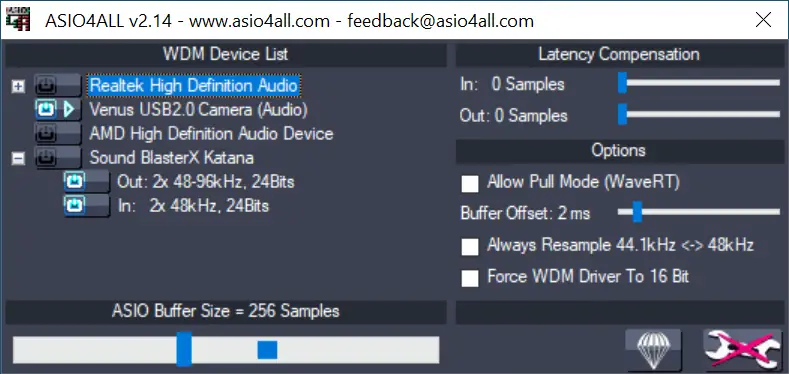
Version 2.14 released!

  • Combined 32/64 bit version, supports Win 98SE/ME/2k/XP/MCE/2003/XP64 and Vista/Windows 7/Windows 8.x/Windows 10 x86/x64
  • There is just one single change in this version. If your system is not affected, there is no reason to upgrade. Localized versions will not be provided, for the very same reason.

Changes since version 2.13:

  • Workaround for a bug in Windows 10 Creators Update: USB audio capture would not work any more (red exclamation mark, distorted sound, …)

Posted

in

,

by

Tags:

Comments

4 responses to “Version 2.14 released!”

  1. Asio4all stop working. Whenever i select my soundcard asio shows a red exclamation mark in the system tray. Please help!!!

  2. Sascha Amic Avatar
    Sascha Amic

    Ich würde gerne meine USB Mikrofone in meine DAW mit Hilfe von asio4all integrieren.

  3. Hey Michael,
    I know you are trying to make a buck with ads, but your website is an absolute disaster with ads and misleading popups. There are “download” ads masquerading as buttons for your software all over the place. You should really clean it up.

  4. mark burk Avatar
    mark burk

    just want to download and install asio4all v2 may23 2017 to help with latency problem im having with audacity and mixpad. ive never ad suc a difficult time as im aving trying to download tis free application for my windows 10 pc. if you could send me a direct link i would be greatful.

Leave a Reply to Sascha Amic Cancel reply

Your email address will not be published. Required fields are marked *

This site uses Akismet to reduce spam. Learn how your comment data is processed.

Copyright © Michael Tippach

Imprint | Privacy

Powered by WordPress

ASIO is a trademark of Steinberg Media Technologies GmbH.  All other trademarks are the property of their respective owners, used for product identification purposes only.

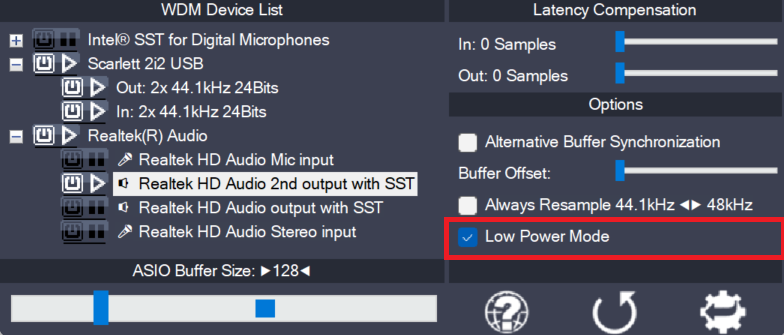
  • Low Power Mode

    Low Power Mode

    This is a global option – for the current audio host application – telling the ASIO4ALL main audio thread how to spend its idle time, i.e. the time when not calling the DAW audio processing handler. The default for this option is “enabled”, potentially lowering CPU utilization in idle mode. Depending on the current ASIO4ALL

    more

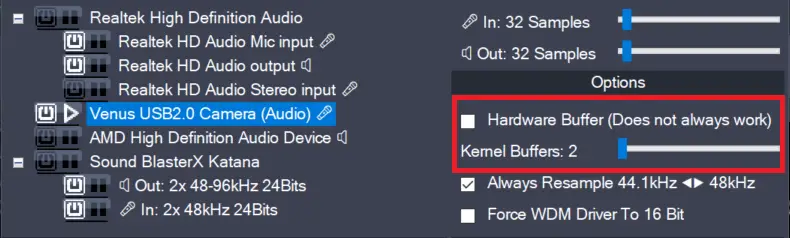
  • Hardware Buffer on/off (Obsolete)

    Hardware Buffer on/off (Obsolete)

    This feature has been removed in version 2.17!The only purpose it did serve – more than 20 years after its introduction – was to confuse users needlessly. Enables the hardware buffer for the highlighted device. This only works for so called “WavePCI” miniports, as other types of WDM drivers do not usually allow direct access

    more

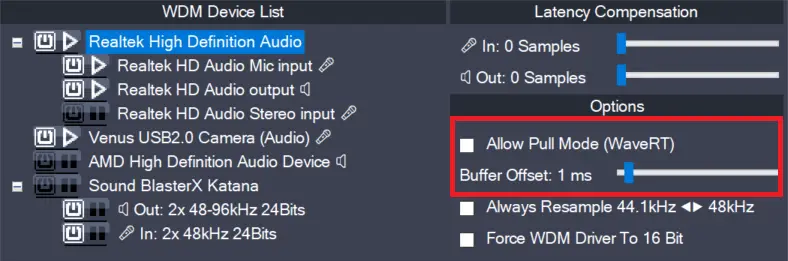
  • Allow Pull Mode (WaveRT) (obsolete)

    Allow Pull Mode (WaveRT) (obsolete)

    In version 2.17, this feature has been replaced by the “Alternative Buffer Synchronization” – option! There are two basic access methods for a WaveRT device, “pull-mode” (also called “event-mode”) and “push-mode” (also called “polling mode”). If this box is left unchecked, ASIO4ALL will not use “pull-mode”, otherwise it will use it whenever possible. The default

    more