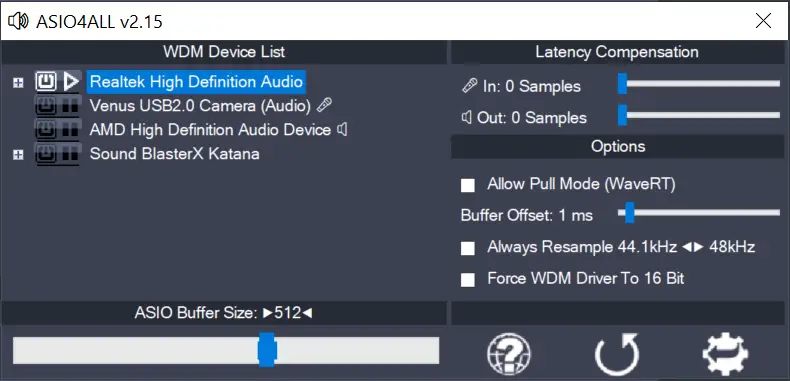
Finally – Version 2.15 (final!)

  • This version officially supports Windows 10 and Windows 11.
  • Also confirmed to work with Windows 7 and Windows 8, with some minor GUI visual artefacts, though.
  • Report bugs to feedback@asio4all.com!

Changes since version 2.15 (Beta 3):

  • Workaround for Oculus VAD.
  • Fix crash with Blackmagic Design DeckLink driver.
  • Avoid using “Stereo Mix” input in default configuration.
  • Fix erratic behaviour of “Force 16 bit” – option, especially when WDM driver does not support a 16 bit sample data format.
Posted

in

,

by

Tags:

Comments

57 responses to “Finally – Version 2.15 (final!)”

  1. Michael Brito Avatar
    Michael Brito

    No Asio Driver, only a driver updater??? Hawk tui!!!

  2. stressed Avatar
    stressed

    Can anyone help? just downloaded asio4all for Ableton live 12 on my laptop and I’ve managed to get the latency down but the sound is stuck to only my laptop. Will get no sound through my headphones that’s plugged into the audio jack. I also can’t adjust the volume level that manages to come out of the laptop. Is this normal?

  3. I can only download ASIO4ALL web site which will open asio4all.org
    Why does this happen and how can I download ASIO?

    Thank you

    1. Tribilin Avatar
      Tribilin

      Pudiste solucionar el problema?

      1. Saskia Avatar
        Saskia

        Tengo el mismo problema al intentar instalar, alguien sabe ¿dónde puedo arreglar esto?

Copyright © Michael Tippach

Imprint | Privacy

Powered by WordPress

ASIO is a trademark of Steinberg Media Technologies GmbH.  All other trademarks are the property of their respective owners, used for product identification purposes only.

  • Low Power Mode

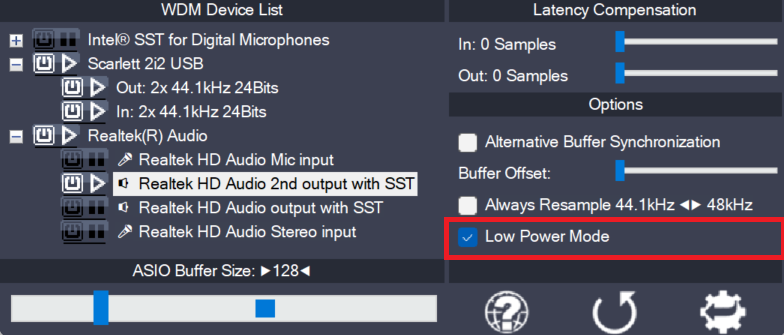
    Low Power Mode

    This is a global option – for the current audio host application – telling the ASIO4ALL main audio thread how to spend its idle time, i.e. the time when not calling the DAW audio processing handler. The default for this option is “enabled”, potentially lowering CPU utilization in idle mode. Depending on the current ASIO4ALL…

    more

  • Hardware Buffer on/off (Obsolete)

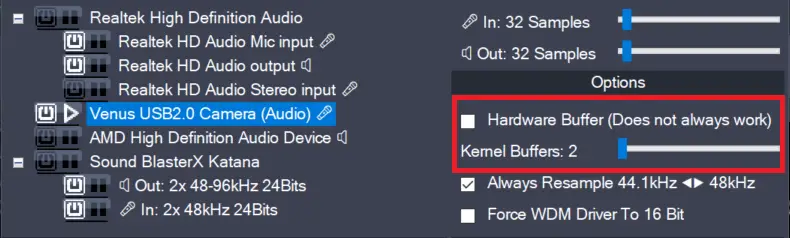
    Hardware Buffer on/off (Obsolete)

    This feature has been removed in version 2.17!The only purpose it did serve – more than 20 years after its introduction – was to confuse users needlessly. Enables the hardware buffer for the highlighted device. This only works for so called “WavePCI” miniports, as other types of WDM drivers do not usually allow direct access…

    more

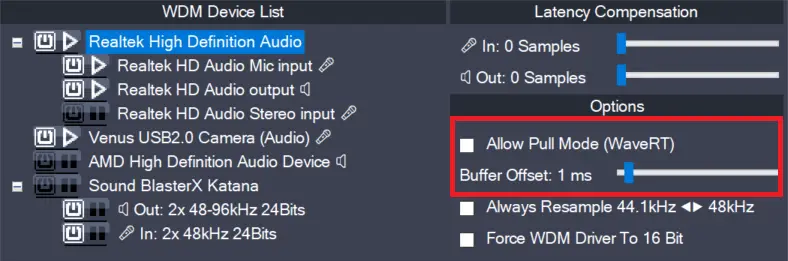
  • Allow Pull Mode (WaveRT) (obsolete)

    Allow Pull Mode (WaveRT) (obsolete)

    In version 2.17, this feature has been replaced by the “Alternative Buffer Synchronization” – option! There are two basic access methods for a WaveRT device, “pull-mode” (also called “event-mode”) and “push-mode” (also called “polling mode”). If this box is left unchecked, ASIO4ALL will not use “pull-mode”, otherwise it will use it whenever possible. The default…

    more