
The only surprise being that it took that long…
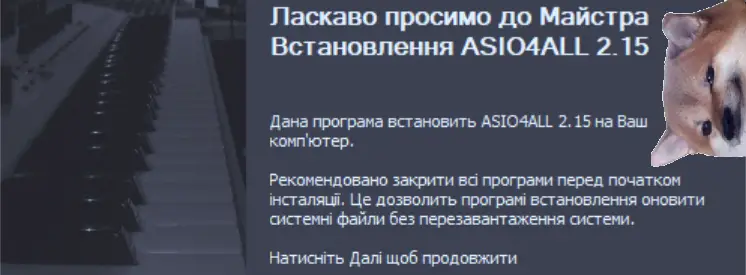
 ASIO4ALL 2.15 – Ukrainian
The only surprise being that it took that long…
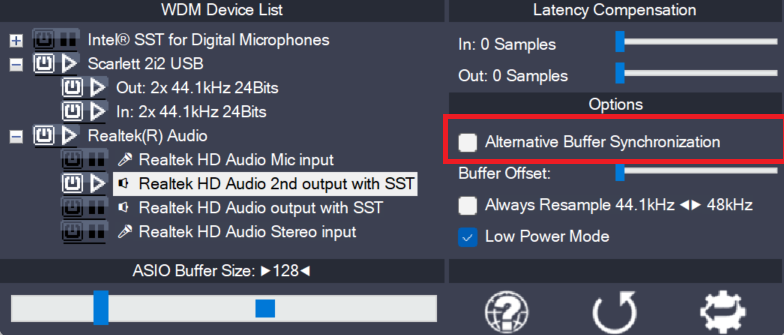
The WaveRt driver ecosystem has evolved beyond the fomer distinction between just “Pull Mode” and “Polling”. It has become a little more complex. ASIO4ALL always aims to use the buffering algorithm most suitable for any particular device. This option lets you override the automed pick and select an alternative buffering scheme, where available. Use this…
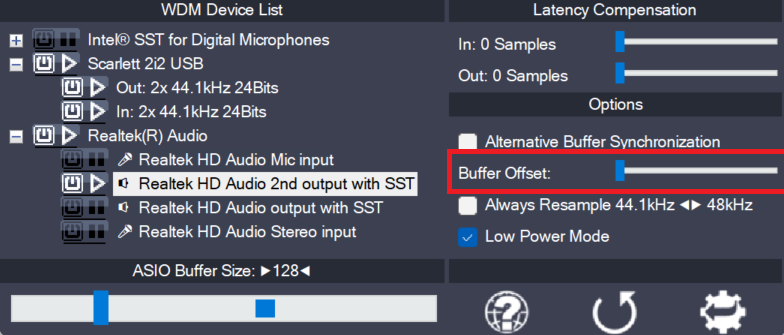
This slider affects the circular buffer read/write cursor position of the current WaveRt pin. The adjustable range equals the size of the entire circular buffer. The offset is relative to the cursor position as calculated by ASIO4ALL. In the unlikely event that some manual adjustment is required, you can try to find a better cursor…
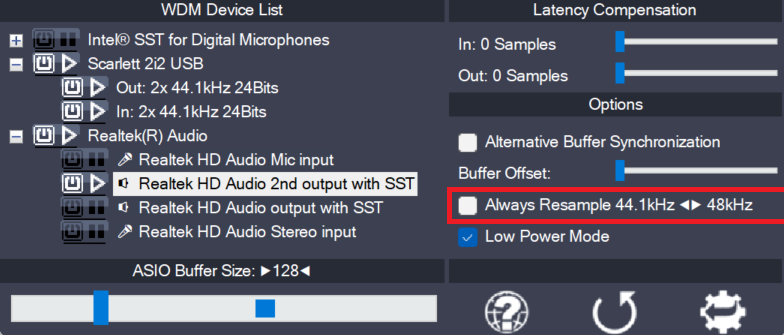
ASIO4ALL can do real time resampling of 44.1 kHz audio to/from 48 kHz. Resampling will automatically take place whenever ASIO4ALL is opened for 44.1 kHz and the WDM driver does not support this sample rate. There may, however, be instances in which case an audio device will support 44.1 kHz only by resampling internally. More…
Comments
16 responses to “ ASIO4ALL 2.15 – Ukrainian”
Dear author, please, release version 2.16 as soon as possible. It works perfectly with Windows 11 and Cubase 13 Pro.
(version 2.15 did not open the control panels in Cubase…)
Дякую! Давно пора!
Это харам!
@Richard Shore
Hallo!
Dont know if its the same problem, but have a look at this APO related:
https://github.com/Loliconera/Unlocked-Dolby-Digital-Live-DTS-Interactive-for-Realtek-HD-Audio-Drivers-for-Windows-10-and-11/blob/main/README.md
Clarification: Lenovo ideopad 3 with Windows 11 OS
It appears a that Realtec and ASIO4ALL on a Lenovo ideopad 3 are not compatable when using a Kontakt Player. I have been fusing around with this for over a week and find no solution. Anyone have a solution?
It would be much apprecisted.
Ohne Asio4All wäre mein Traktor S3 Unbrauchbar.
Danke
Thomas Trommler (Orakel Rec.)
poglyadim
Дякую! Thank you!
Ненавижу это!
Полностью с вами согласен!
Денег дайте!
Why should Luka be doing that?
Did Putin please him in a service that wasn’t paid for?
I won’t give you money
And since my name isn’t Putin, you sure won’t give me head, either.